
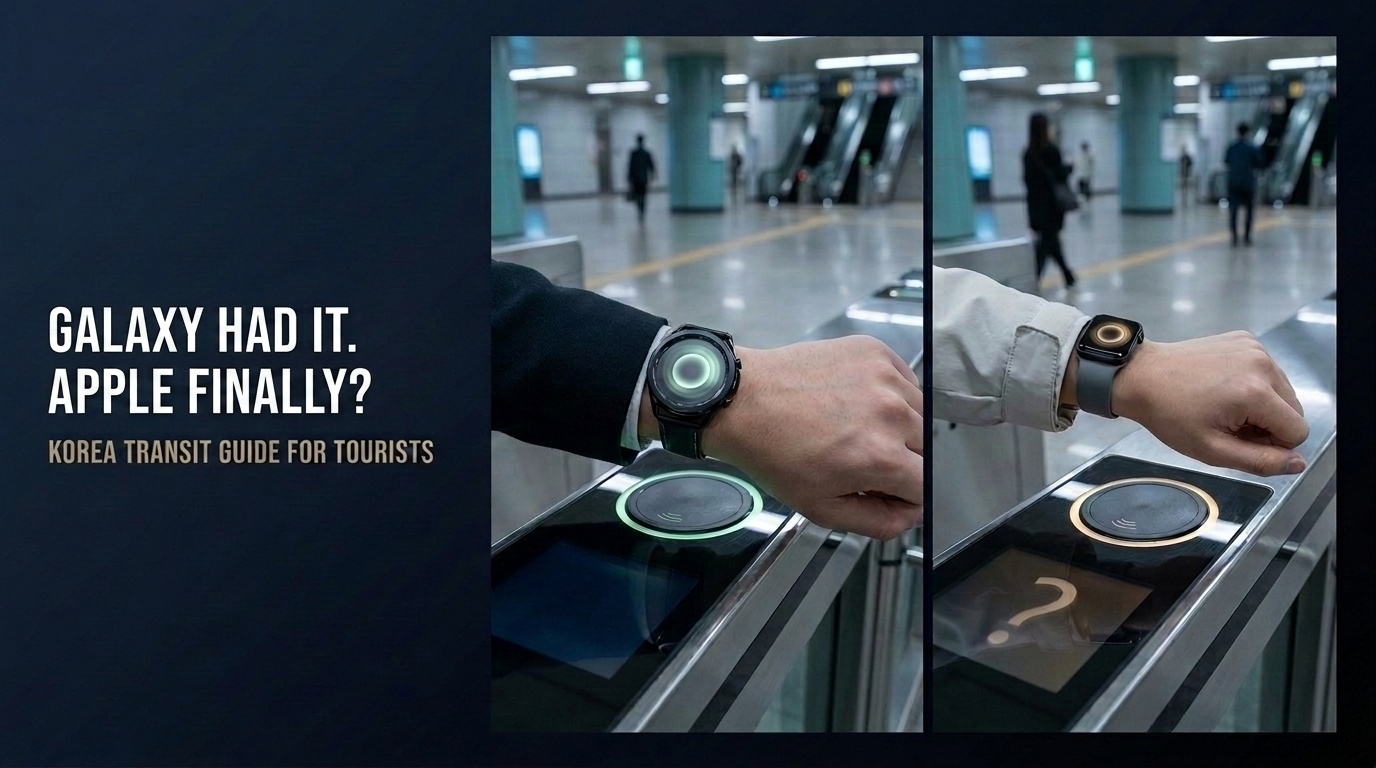
Your Galaxy Watch-owning friend taps a wrist at the subway gate and walks straight through.
You look down at your Apple Watch—and reach for a physical Tmoney card.
For years, that was the frustrating reality for many Apple users visiting Korea. But the gap has finally narrowed. Apple Watch Tmoney now works for foreign tourists, without requiring a Korean phone number, Korean bank account or resident verification.
There is still one major catch: foreign Visa cards are not currently supported for MobileTmoney top-ups.
Last verified: August 25, 2026.
Quick Answer
Yes. Foreign visitors can now use Apple Watch Tmoney in Korea through the MobileTmoney app’s Foreigner option.
After creating a digital Tmoney card, tourists can add money through Apple Pay and use an iPhone or compatible Apple Watch to tap onto buses and subways.
MobileTmoney currently lists the following international card networks for top-ups:
- Mastercard
- American Express
- UnionPay
- JCB
Visa is not included in the official supported-card list as of August 2026.
A second important limitation is that the same Tmoney transit card can be active on only one Apple device at a time. If you move the card from your iPhone to your Apple Watch, it will no longer remain active on the iPhone.
What Changed for Foreign Tourists?
Apple Pay Tmoney originally launched with restrictions that made it difficult for short-term visitors to use.
A traveler could see Tmoney inside Apple Wallet, but purchasing or recharging it directly generally required a payment card issued in South Korea. That did not help most tourists arriving with foreign cards.
MobileTmoney later introduced a dedicated Foreigner option. It allows international visitors to bypass the normal Korean sign-up and identity-verification process.
Foreign visitors can now:
- Open MobileTmoney without creating a Korean account
- Create a digital Tmoney card
- Top it up through Apple Pay using a supported foreign card
- Use it on an iPhone or Apple Watch
- Tap onto buses and subways without opening the app
This is an important distinction. Foreign tourists are not simply tapping their overseas credit card directly at a subway gate. They are using that card to load a prepaid MobileTmoney balance.
Apple Watch Tmoney Device Requirements
According to the current MobileTmoney App Store listing, the international version requires the following equipment.
| Device | Minimum requirement |
|---|---|
| iPhone | iPhone XS or XR and later |
| iPhone software | iOS 17.2 or later |
| Apple Watch | Apple Watch Series 6 or Apple Watch SE second generation and later |
| Watch software | watchOS 10.2 or later |
| Payment | An eligible card added to Apple Pay |
Update your iPhone, Apple Watch and MobileTmoney app before beginning the setup process.
Older Apple Watch models may not support this service even if they can use other Apple Wallet features.
How to Set Up Apple Watch Tmoney in Korea
The exact screen wording may change after an app update, but the basic process is as follows.
1. Download MobileTmoney
Install the official MobileTmoney app published by Tmoney Co., Ltd.
Avoid similarly named unofficial travel or payment apps.
2. Select the Foreigner Option
Open MobileTmoney and choose the Foreigner option on the opening or login screen.
This is the route intended for tourists and short-term visitors who do not have Korean identity verification.
3. Create a Digital Tmoney Card
Follow the instructions in the app to create your digital transit card.
You should not need a Korean bank account or Korean mobile number when using the Foreigner option.
4. Add Money Through Apple Pay
Choose a top-up amount and pay through Apple Pay using a supported international card.
As of August 2026, MobileTmoney officially lists Mastercard, American Express, UnionPay and JCB.
Visa is not currently supported for international MobileTmoney top-ups.
5. Move Tmoney to Your Apple Watch
On your iPhone:
- Open the Watch app.
- Select Wallet & Apple Pay.
- Find the Tmoney transit card.
- Tap Add to move it to your Apple Watch.
- Follow the instructions shown on the screen.
The card is moved rather than copied. It will no longer remain active on your iPhone after it becomes active on your Apple Watch.
6. Confirm Express Mode
An eligible transit card may be placed into Express Mode automatically.
Express Mode allows you to tap the Apple Watch at a subway gate or bus reader without opening MobileTmoney or waking the display.
Before relying on it for an important journey, confirm that the card appears correctly in Apple Wallet and that it has enough balance.
Which Foreign Cards Work?
The current international top-up support is as follows.
| Card network | MobileTmoney international top-up |
|---|---|
| Mastercard | Supported |
| American Express | Supported |
| UnionPay | Supported |
| JCB | Supported |
| Visa | Not officially supported as of August 2026 |
The country that issued the card, its Apple Pay eligibility and the individual bank’s security controls may still affect a transaction.
Therefore, appearing on the supported-network list does not guarantee that every card from that network will be approved.
Does Visa Work with Apple Watch Tmoney?
Visa is not currently supported for international MobileTmoney top-ups.
This does not mean that Visa can never be used for any Tmoney-related transaction. It means that MobileTmoney does not presently list Visa as a supported network for the foreign-card top-up function used by tourists.
Tmoney’s own App Store responses specifically identify Mastercard, American Express, UnionPay and JCB as supported networks and state that Visa is not currently supported.
Travelers carrying only Visa should not assume that they will be able to add money after arriving at a station.
What Should Visa-Only Travelers Do?
The safest backup is still a physical Tmoney card.
You can purchase one at many convenience stores and selected transit locations, then recharge it with Korean won.
Read our T-money Card in Korea guide for information about buying, charging and using a physical card.
A Visa-only traveler should consider carrying:
- A small amount of Korean cash
- A physical Tmoney card
- Another Apple Pay card from a supported network, if available
Do not wait until your MobileTmoney balance reaches zero while standing at a bus stop or subway gate.
Can the Same Tmoney Card Stay on Both Devices?
No. The same transit card cannot remain active on both your iPhone and Apple Watch simultaneously.
When you transfer the card to your Apple Watch, it is removed from active use on the iPhone. You can later move it back through the Watch app, but you should do this before starting a journey.
This matters if:
- Your Apple Watch battery is low
- You temporarily stop wearing the watch
- You lend your iPhone to another family member
- You expect two people to use the same balance
Each traveler should have a separate transit card. Two people cannot pass through a subway gate using the same active card on two devices.
Apple Watch Tmoney vs Galaxy Watch Tmoney
Galaxy Watch users in Korea have had access to a dedicated Tmoney Galaxy Watch service. Apple Watch users, particularly foreign tourists, had fewer practical options.
The new MobileTmoney Foreigner function makes the Apple Watch much more useful for Korean public transportation.
However, the two systems use different apps and registration requirements. Do not assume that instructions written for a Galaxy Watch will also work on an Apple Watch.
For Apple users, the relevant route is:
MobileTmoney → Foreigner option → supported foreign card through Apple Pay → iPhone or Apple Watch
Common Mistakes to Avoid
Starting Only in Apple Wallet
Adding or topping up Tmoney directly inside Apple Wallet may require a South Korea-issued credit or debit card.
Foreign tourists should use the MobileTmoney app’s Foreigner option instead.
Assuming Any Apple Pay Card Will Work
Having a card inside Apple Pay does not automatically make it eligible for MobileTmoney.
The card network must also be supported by MobileTmoney.
Depending Only on Visa
Visa is not officially supported for international top-ups as of August 2026.
Carry a physical Tmoney card or another payment option.
Trying to Use One Card on Two Devices
Moving the card to an Apple Watch removes it from active use on the iPhone.
Waiting Until the Last Minute to Top Up
Complete the setup and make a small test journey before relying on Apple Watch Tmoney for an airport transfer, early-morning bus or tightly scheduled trip.
Is Apple Watch Tmoney Worth Using?
For a visitor with a compatible device and supported payment card, yes.
Apple Watch Tmoney removes several common travel inconveniences:
- No physical card to find at the gate
- No need to remove a wallet from a bag
- No need to open an app before tapping
- No Korean sign-up for the Foreigner option
- Balance checks and top-ups available through the app
However, it is not yet a perfect universal solution.
Visa users still need an alternative, and travelers should understand that one Tmoney card can be active on only one Apple device at a time.
Frequently Asked Questions
Can foreign tourists use Tmoney on an Apple Watch?
Yes. Foreign tourists can use the MobileTmoney app’s Foreigner option to create and recharge a digital Tmoney card, provided they have compatible Apple devices and a supported foreign payment card.
Do I need a Korean phone number?
The MobileTmoney Foreigner option is designed to work without the standard Korean sign-up and identity-verification process.
Can I top up MobileTmoney with Visa?
No. Visa is not officially supported for international MobileTmoney top-ups as of August 2026. The current supported list includes Mastercard, American Express, UnionPay and JCB.
Can I use the same Tmoney card on my iPhone and Apple Watch?
No. A transit card can be active on only one device at a time. Moving it to the Apple Watch removes it from active use on the iPhone.
Do I have to open the app at the subway gate?
Normally, no. With Express Mode enabled, you can tap the iPhone or Apple Watch without opening MobileTmoney or waking the screen.
What happens if my foreign card is declined?
Try another officially supported card if available. Otherwise, purchase and recharge a physical Tmoney card with Korean cash.
Korea Compass Note
Apple Watch Tmoney is finally becoming a realistic option for international visitors—not just Korean residents.
The setup is more convenient than before, but the payment-card limitation is easy to miss. A tourist carrying only Visa could successfully download the app and create a card, yet still be unable to add the balance needed to travel.
Set it up before your first important trip, confirm that your card can complete a top-up and keep a physical Tmoney card as a backup if necessary.
Sources and Further Reading
- MobileTmoney official App Store listing
- Apple Support: Add a transit card to Apple Wallet
- Tmoney official foreigner guide
- Korea JoongAng Daily: Apple Pay Tmoney allows foreign tourists to ride
Final Thought
Apple Watch Tmoney now gives many foreign tourists a genuinely convenient way to ride Korean buses and subways.
Just remember the two rules that matter most:
- Visa is not officially supported for international top-ups as of August 2026.
- The same Tmoney card can be active on only one Apple device at a time.
Check both before you tap in.